Generate variants in bulk
Select an existing button layer and type "Create 5 variants." Primary, Secondary, Outline, and more are automatically added to Figma.
From UI designers to engineers and directors, explore how Layermate fits naturally into each team's workflow.
Select an existing button layer and type "Create 5 variants." Primary, Secondary, Outline, and more are automatically added to Figma.
Point to a reference layer and AI analyzes colors, typography, and spacing automatically. Generate new cards and modals that stay consistent with your existing styles.
Just say "Make the border radius a bit larger" or "Increase the contrast of this text." Fine-grained adjustments are reflected in real time.
Just say "Create the screens from sign-up to first purchase" and a consistent set of UI flows appears on Figma, ready for information architecture and experience detail review.
Persona cards and journey maps that tend to scatter across tools can be generated directly in Figma from chat. A shared visual language takes shape in real time during meetings.
Just ask to organize the KGI, NSM, and KPIs for a screen. The relationship between UI and metrics is visualized as a tree diagram in Figma, keeping priority discussions inside the design file.
Just describe a feature idea in chat. A shareable mockup for stakeholders is ready in minutes, letting you align on "this is what I mean" visually.
During a meeting, just say "Add a filter feature here." Update the UI in real time while discussing, eliminating misalignment on the spot.
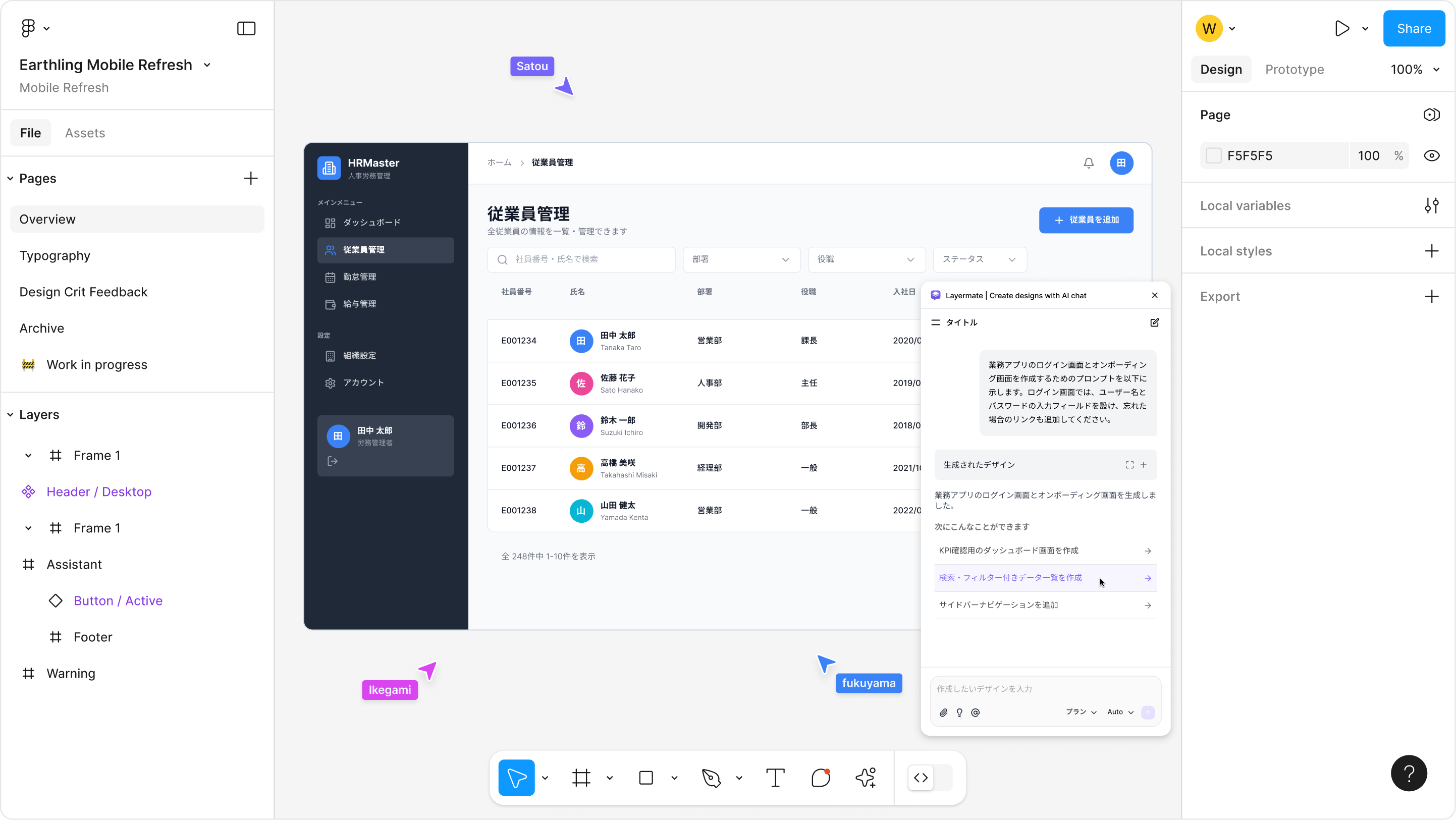
Hand your requirements doc directly to Layermate and a rough screen appears instantly in Figma. Share the nuances of specs that are hard to convey in text, visually in one shot.
Generated designs use Figma-native Auto Layout and Frame structures. Hand off component by component without manually reorganizing layers.
Just say "Create all interaction states for this card." Every variation needed for implementation is covered, reducing back-and-forth with designers.
Give natural language instructions like "Make the border radius a bit larger" or "Increase the contrast of this text." Skip the request → wait → confirm cycle with designers and keep your development velocity.
Just hand the scattered sticky notes from a workshop to Layermate. An organized diagram sorted by theme is generated in Figma, giving you a ready starting point for analysis.
Paste transcripts or notes and say "Organize the key points." Findings, issues, and insights are laid out as cards, eliminating the effort of building share-out materials from scratch.
Just provide an axis like "Organize by value hierarchy." User motivation structures are mapped in Figma using a means-end analysis format, raising the resolution of your insights.