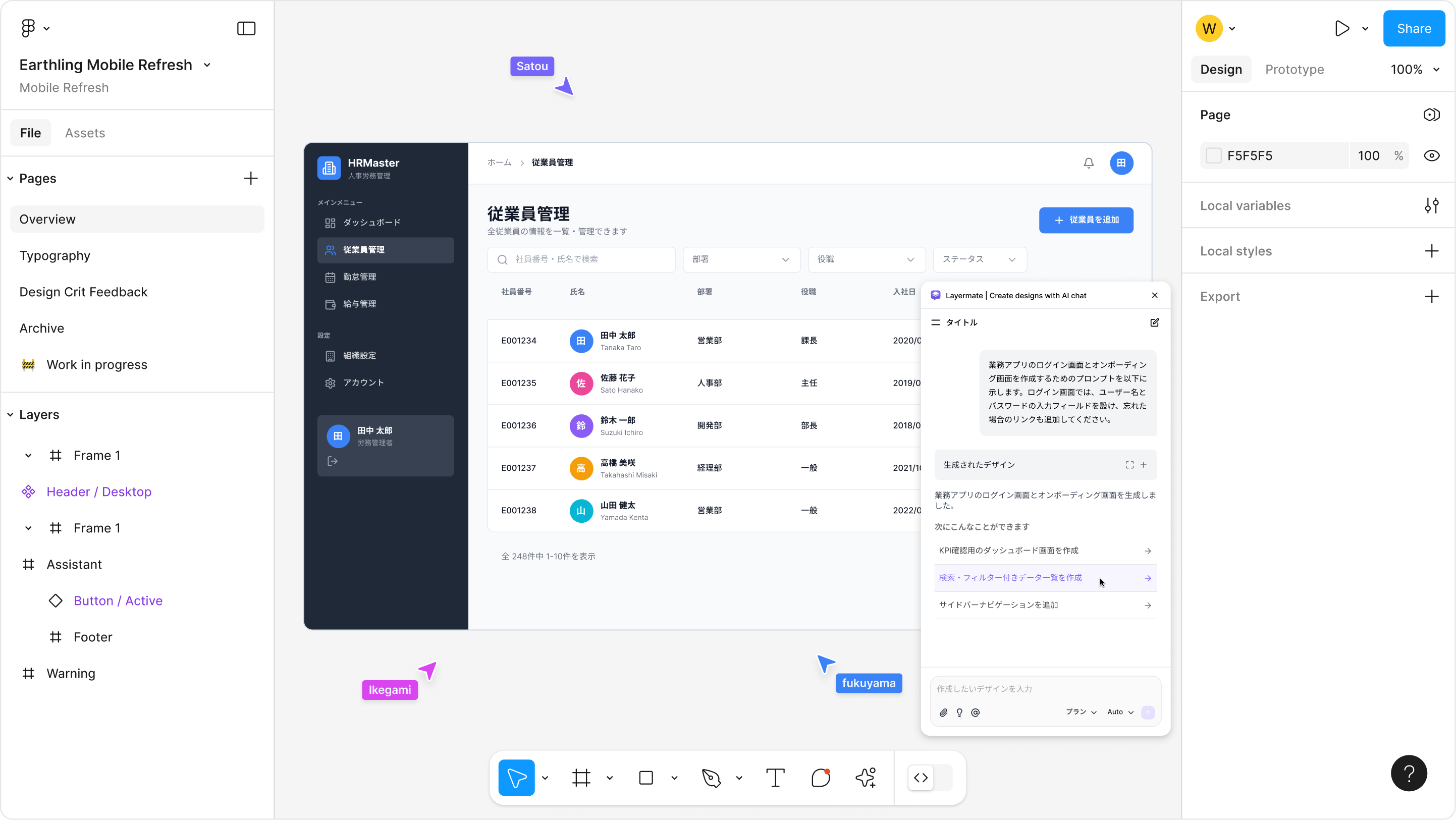
Complete everythinginside Figma
No more workflow disruptions. From pattern exploration to UI creation, all in one chat.
Focus on creative work from the moment you open Figma.
Why Layermate?

Generate UI just by chatting
Even vague ideas are fine. AI understands the context and outputs editable Figma components.
Diverge from 0 to 1 with multiple ideas at once
Generate assets that match your design, right on the spot.
Create based on existing designs
Select and reference Figma layers. AI understands your existing design style and creates new elements with visual consistency.
Discover the perfect way to use Layermate for you
Generate, diverge, reference. Learn how to use it tailored to your workflow.
Rich Template Library
Just pick the design you want. Prompts and layouts are bundled and ready to use.
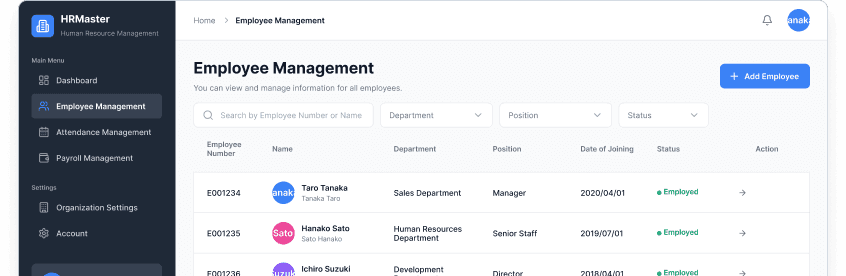
# Screen to Create
Employee management screen set for HR SaaS
# Required Screen Names
1. Employee List Screen
2. Employee Detail Screen
# Required Features in Screen
[Common Elements]
SaaS Dashboard
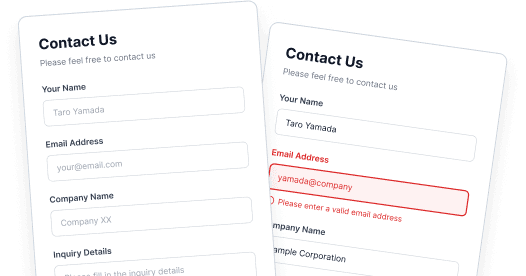
# Screen to Create
Contact form for BtoB service
# States to Generate
Create the following 3 states side-by-side:
1. Default (Empty/Initial state)
2. Active (Inputting/Focused state)
3. Error (Input error state)
Contact Form
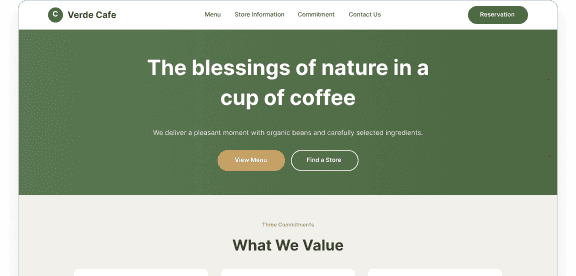
# Screen to Create
Landing page for an organic cafe
# Specified Color Palette (Strict Adherence)
- Primary Color: #4A6741 (Natural Earth Green)
- Secondary Color (Accent): #C5A065 (Warm Wood Color)
- Background: #F2F0EB (Unbleached Cotton-like Ecru)
- Text Color: #3E3630 (Soft Charcoal Brown)
Cafe Landing Page
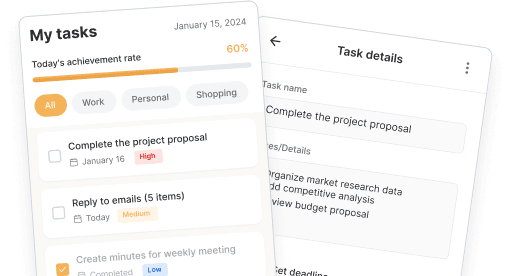
# Screen to Create
Main screen set for a simple Task Management App (To-Do List)
# Required Screen Names
1. Task List Screen
2. Task Detail Screen
# Required Features in Screen
[Common Elements]
Task Management App
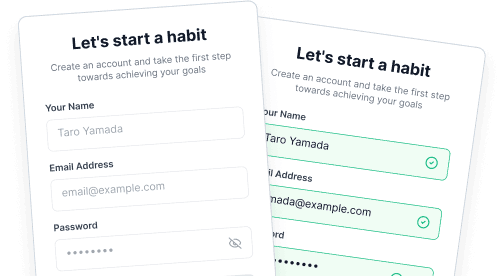
# Screen to Create
Sign Up screen for a habit-forming app
# States to Generate
Create the following 4 states side-by-side:
1. Default (Empty)
2. Active (Inputting)
3. Error (Condition mismatch/Error)
User Registration Form
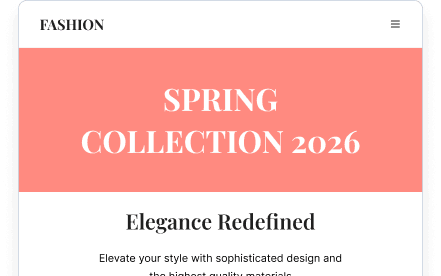
# Screen to Create
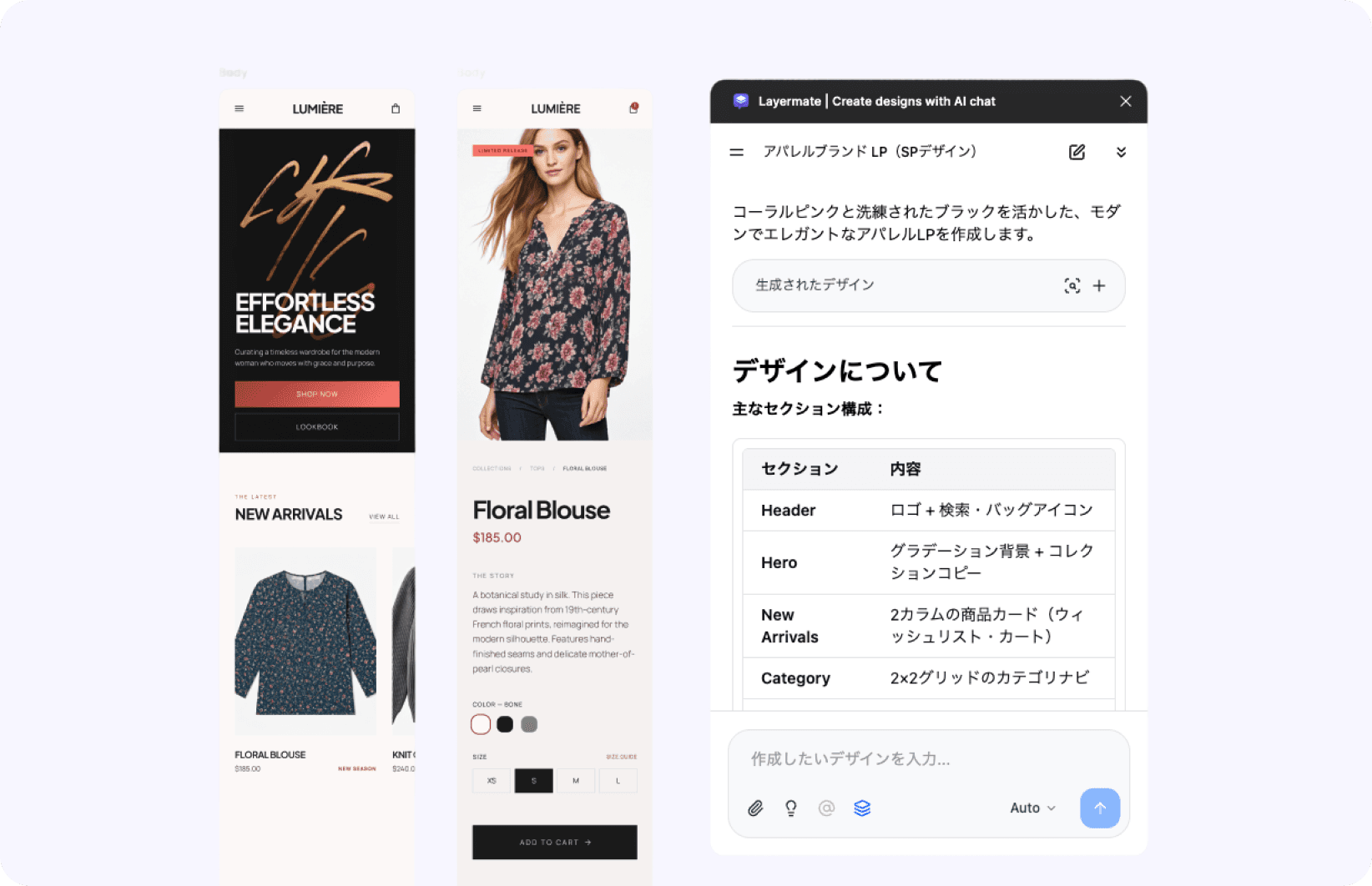
Landing page for an apparel brand (Smartphone design)
# Specified Color Palette (Strict Adherence)
- Primary Color: #FF8A80 (Coral Pink)
- Secondary Color (Accent): #212121 (Sophisticated Black)
- Background: #FFFFFF (Pure White)
- Text Color: #000000 (Pure Black)
Apparel Brand Landing Page
The best AI partner for your design workflow
LayermateA design experience that keeps evolving
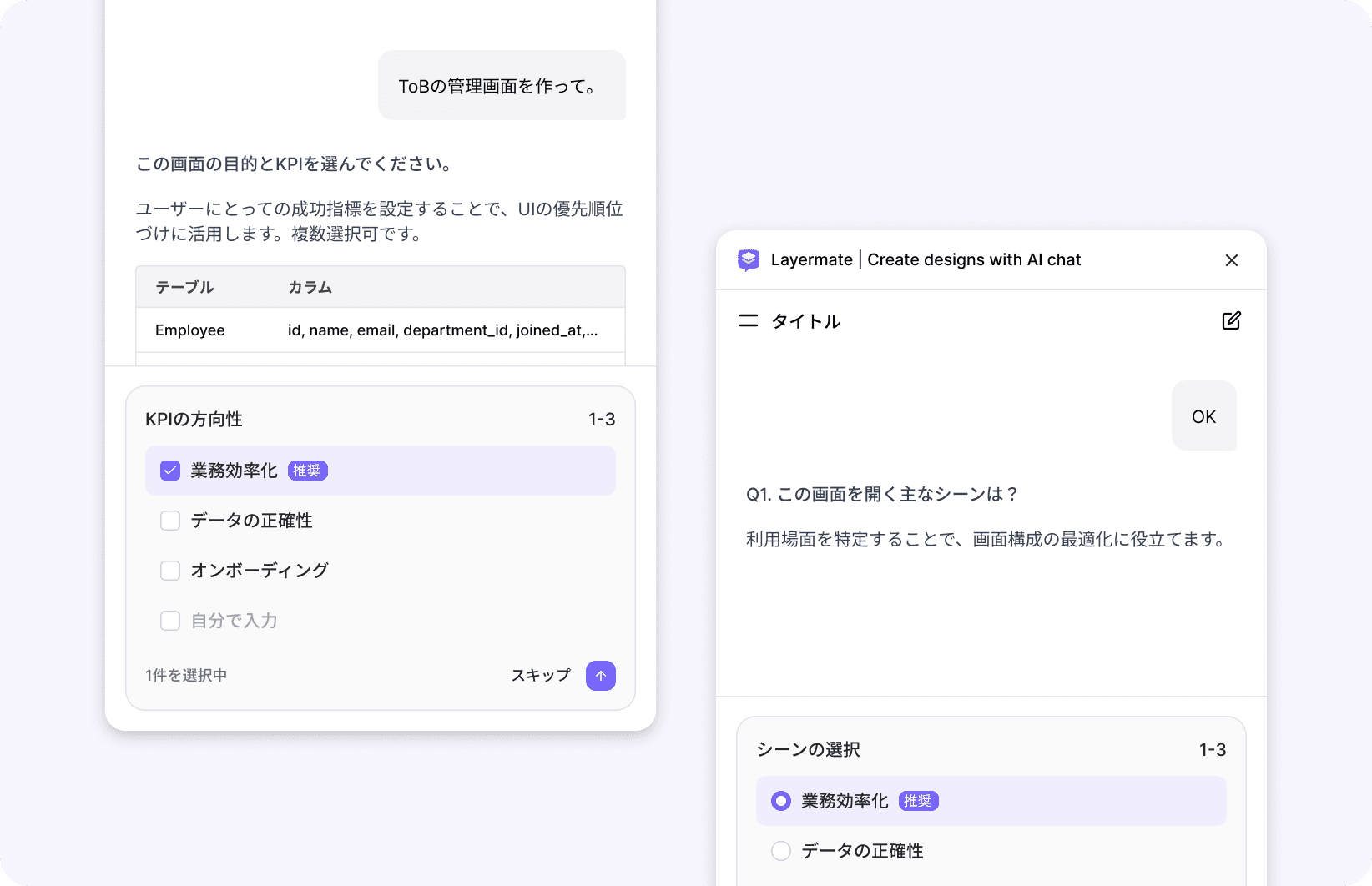 Coming Soon
Select a layer, get the next step suggested
AI anticipates what you want to do next and suggests it.
 Coming Soon
Generate images and insert them into designs
Get closer to the final vision with AI-generated imagery.
Accelerate your design in just 3 steps
No special learning required. If you can use Figma, you can master Layermate right away.
Launch the plugin
Search for and launch the plugin from the Figma Community.
Type what you want
Give instructions via chat like "Create a dashboard" or "Change this color."
Edit & brush up
Designs you create can be freely edited just like regular Figma layers.
Case studies & user reviews
Hear from real users who are streamlining their design workflows with Layermate.

I tried #layermate.
It feels like the Figma version of Windsurf and it's great!
It really listens to instructions properly and even responds to requests like changing the overall color image. Excellent!
 @lucky_rand0
I tried 'Layermate' created by @seanchas_t, which generates UI in Figma through chat!
While English was more accurate, it's amazing that it can generate Japanese with Autolayout enabled!
Creating more granular units like Components and Projects gives higher accuracy. Looking forward to its evolution!
 @acoco1102
I tried it and the quality of the first output is high, and it's great that you can select Figma layers and maintain context for modifications!
 @hyodo0407
'Layermate' could be called the Cursor of the UI design world - this is exactly what I was looking for!
Layermate is a Figma plugin where you can create UI designs just by chatting → Since it's Figma, fine adjustments are naturally possible.
It's fun to watch it automatically generate UI smoothly.
You can chat up to 5 times a day for free, so please try it out.
 @masa_oka108
Layermate is a new Figma plugin that lets you generate UI through AI chat.
Looks like a powerful tool for quickly designing websites, apps, or prototyping components.
Will definitely try it out ASAP 😍
 @xozgu_
Wow! This is exciting.
Being able to pass selected Figma layers as context looks promising, and I want to try using it for creating component prototypes.
UI work has many tedious tasks and AI utilization honestly feels like it's been lacking, so I want to explore using Layermate.
 @labelmake
Pricing Plans
Pro
Best for personal use
Team
Team collaboration plan
Enterprise
Enterprise plan for large organizations
| Free | Pro | Team | |
|---|---|---|---|
| AI generation via chat | |||
| Image & asset generation | |||
| Generation credits | 5 messages/day | 100/mo ~ | 100/mo/person ~ |
| Context retention | Standard | Long conversations | Long conversations |
| Data training opt-out | |||
| Prompt template sharing | |||
| Member management & billing | |||
| Support | Community | Email support | Priority support |
FAQ
Learn moreIs there a free trial?
Yes, you receive a certain number of free generation credits upon first installation. No credit card registration is required, and you can start right away.
Who owns the copyright of generated designs?
The copyright of generated designs belongs to the user. You are free to use them for any purpose, including commercial use.
How do I switch to a team plan?
Please contact us through the inquiry form. You can upgrade to a team plan while keeping your existing Pro plan account.
With Layermate,ready to transform your design workflow?
Try in Figma